Return the Original System
The following section provides instructions for returning the iSeq 100.
 Package the Instrument
|
1.
|
Clear adequate space in the lab for the instrument and packaging. |
|
2.
|
Insert the small foam pad between the lowered monitor and the instrument. |
|
3.
|
Place the gray plastic bag over the instrument. |
|
4.
|
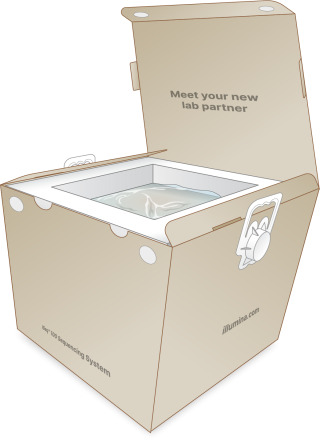
Lower the front flap of the instrument box. |
|
5.
|
Place the instrument into the box so that the front of the instrument faces you. |
|
6.
|
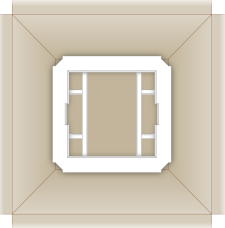
Place the square foam over the instrument so that the thinner sides of the foam rest on the front and back of the instrument. Make sure that the foam is flush with the top of the box. |
|
7.
|
Close the front flap, and then close the top of the box. |
Package the Reusable Test Components
|
1.
|
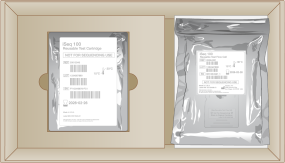
Put the iSeq 100 reusable test cartridge into the larger resealable bag and seal. |
|
2.
|
Put the iSeq 100 reusable test flow cell into the clamshell case. |
|
3.
|
Put the clamshell case into the smaller resealable bag and seal. |
|
4.
|
Place both resealable bags into the iSeq 100 Sequencing System accessories box. |
|
5.
|
Close the accessories box. |
Ship the System
|
1.
|
If it was removed, place the protective foam base into the bottom of the brown shipping box. |
|
2.
|
Lift the instrument box by the handles (a two-person lift is recommended), and then lower into the brown box. Any orientation is acceptable. |
The instrument box must be shipped inside the brown box. The instrument box is not designed or labeled for shipping.
|
3.
|
Place the protective foam cover over the top of the instrument box. |
|
4.
|
Place the accessories box into the center of the foam cover. |
|
5.
|
Place the black foam pad on top of the accessories box. |
|
6.
|
If Illumina Technical Support requested that you return the power cord, place it anywhere in the brown box. |
|
7.
|
Close the brown box and secure with shipping tape. |
|
8.
|
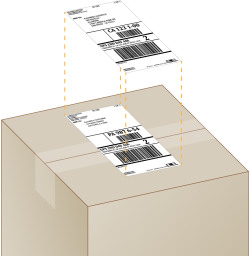
Place the return label over the original shipping label, or remove the original shipping label. |
|
9.
|
[International shipment] Affix the commercial invoice to the shipping box. |
|
10.
|
Ship the instrument to Illumina via UPS. |
|
•
|
If your lab has daily deliveries scheduled with UPS, give the labeled shipping box to the driver. |
|
•
|
If your lab does not have daily deliveries with UPS, notify Illumina Customer Service so that they can schedule the return shipment for you. |